
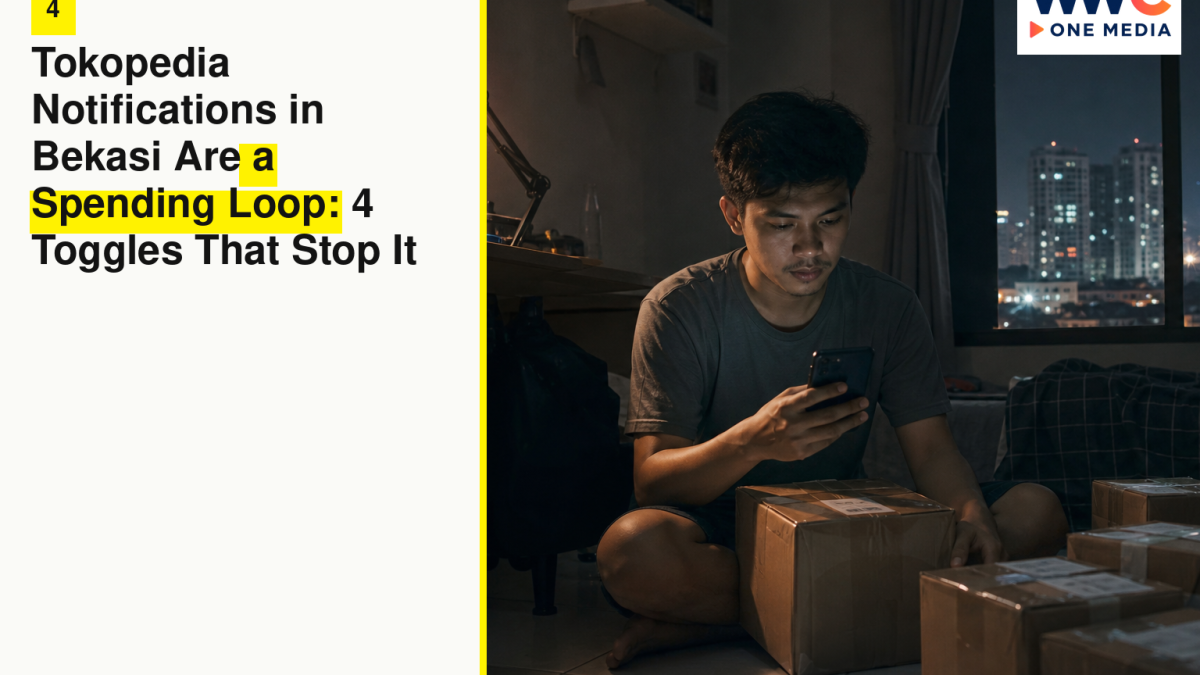
BEKASI, Indonesia — The KRL doors close and the phone lights up as if a mall opened in your palm. Tokopedia notifications in Bekasi are a spending loop: a push, a live badge, a pay-later tile, a thumb that already knows the path. You did not open the app to buy. The app opened you. A commute from Bekasi toward Jakarta is long enough to turn a grocery need into a catalogue, and payday is long enough to turn a catalogue into a second rent you did not vote for. Four toggles stop the loop. They are habits, not a study. This desk will not invent a promo statistic, a conversion rate, or a fake “users spend more after 9 p.m.” figure. You already know what your thumb does between Bekasi station and the walk past an Indomaret.
This is a settings piece. It is not a boycott. Tokopedia remains a shop. Shops are allowed to sell. You are allowed to mute the parts that treat a Bekasi evening like a game. Push, live, and pay-later UI are the three rooms. The fourth toggle is the follow-and-wishlist machine that schedules temptation for you when you thought you were only bookmarking a kettle.
Do the four on Wi-Fi at home, not on a lurching carriage. Then the commute can be a commute.
1. Tokopedia notifications in Bekasi are a spending loop — kill promo push, keep the boring pings
Open notifications. You want a short list of things that are actually about an order you placed, and a long silence from things that are about an order they hope you will place.
Keep:
- Payment status.
- Order confirmed, shipped, out for delivery, delivered.
- Chat from a seller you are already buying from, if you use chat to resolve a size or a missing item.
- Security or login alerts if the app has them.
Kill or mute:
- Promo, flash, campaign, “for you,” recommendation, and anything with a countdown as a personality.
- Store broadcasts from accounts you followed in a weak minute.
- Live reminders. Live is a later toggle. It still begins as a push.
- Tips and education that are actually merchandising.
The names in the menu will not match this list word for word. Menus move. Categories get renamed. The job does not. If the description is about an order you have, leave it on. If the description is about an order you might have, turn it off.
Android will also let the app send through system notification channels. Open the system settings for Tokopedia and repeat the idea there. An in-app mute that still screams at the system tray is not a mute. iPhone users: check Settings, Notifications, Tokopedia, and do not let banners and sounds work for marketing while you think the in-app switch was enough.
A numbered Sunday pass in a Bekasi house:
- In-app notification menu, promo off.
- System notification channels, marketing off.
- Badge count: if a red dot is what pulls you in, badges off.
- Sounds: off for anything that is not a courier.
- Lock screen: if a flash-sale banner on a lock screen is how you shop before you have stood up, deny lock-screen previews for the app.
What not to do. Do not mute the whole app if you actually wait on parcels. You will miss a courier. Do not leave promo on “just for payday.” Payday is when the loop is strongest. Mute is for payday. You can still open the app on purpose and search for detergent.
Objection: “I’ll miss a deal.” You will miss many deals. That is the point. A deal that requires a push at 20:12 on a Wednesday is a deal that needs your tiredness. The item will often still exist on Thursday at a price you can look at with a receipt from the last grocery run in your head.
2. Live is entertainment with a checkout button — treat it as a shop, not a show
Live selling is a host, a timer, a comment field, a discount that may be real and may be theatre. On a Bekasi commute it plays like television. It is not television. Television does not take an e-wallet while you are standing in a packed car.
The toggle is twofold: stop the reminders, and stop using live as default open.
- Turn off live notifications, live “is starting,” live follows.
- Do not autoplay video if the app offers that kindness.
- Unfollow hosts you do not want in your evening.
- If you open live anyway, put the item in a cart or a note, then leave. Buy later from the product page when you are not performing along with a chat.
Pay-later UI loves live because both of them compress time. A host says now. A tile says later. Your brain hears free. It is not free. It is a purchase with a different calendar.
What not to do. Do not treat a live comment as a price check from a friend. The host is working. You can like them and still not owe them a cart. Do not watch live with the sound on in a KRL carriage. That is a different etiquette problem that still ends in a buy. Do not keep a live tab open “as background.” Background is how a timer becomes your personality.
If you sell on Tokopedia, that is a different job. This piece is for the Bekasi commute thumb, not for a seller’s broadcast tools. Sellers can keep seller alerts. They can still mute buyer-side promo on the same account if the app separates those worlds. If it does not, you live with a messier mix and you become more disciplined about opening on purpose.
City logistics. Grand Metropolitan, Summarecon Bekasi, a mall after office hours — live in a food court is the same loop with worse lighting. If you came to eat, eat. If you came to buy a specific item, search. A host on a phone is not a shop assistant you can hand a size to.
3. Pay-later UI is a habit, not a personality — hide it from the home screen of your brain
Pay-later products exist. They have names. They have limits. They have due dates. This desk will not invent an interest figure or a promo take-up rate. It will tell you what the UI is doing. A tile on the home screen that says you can pay later is a suggestion to start now. A checkout default that pre-selects pay-later is a suggestion you must actively refuse. A limit increase banner is a suggestion that your restraint was a setting, not a decision.
Toggles and habits that actually stop the loop:
- If the app lets you hide pay-later, hide it. If it lets you lower a limit, lower it to a number that would not scare you on a Bekasi payday. If it only lets you not use it, then you do not use it. The tile can shout. The thumb can pass.
- At checkout, look at the payment method every time. Do not confirm on muscle memory. Cards, e-wallets, pay-later, instalments — they are different sentences. Pick the one you meant when you searched for the item.
- Unlink a pay-later as a default if a setting exists. Defaults are how loops survive intelligence.
- Put due dates on a calendar you already use, if you already have a balance. A notification from the shop app about a due date is useful. A notification about a new limit is not a due date.
- Do not open the app to “check my limit.” That check is a browse in costume.
What not to do. Do not split a cart across pay-later to make each piece look small. Small pieces are still a month. Do not use pay-later for food that will be eaten before the KRL reaches Manggarai. Consumables and delayed payment are how a lunch becomes a mood in a statement. Do not carry pay-later balances on two shop apps and tell yourself each one is fine because you only look at one.
Objection: “It’s for emergencies.” Then it should look like an emergency tool: unused, small, boring. If it is on the home screen of the app and the home screen of your head, it is a lifestyle. Lifestyles have a Bekasi rent.
If a partner or a parent shares a household, pay-later is a conversation, not a private tile. A statement that arrives after a live at 22:40 is how kitchens go quiet in a way that is not about a kettle.
4. Wishlist and followed stores are a scheduled temptation — unfollow, delay, search on purpose
A followed store is a push you subscribed to. A wishlist is a to-do list the app will keep reading back to you. Both can be useful. A kettle you actually need, sitting for two days, is a tool. Forty items you hearted because a live was loud is a catalogue of other people’s urgency.
Toggles:
- Unfollow stores you have not bought from in a long time. Unfollow if you cannot remember why you followed.
- Turn off store-online and new-product alerts.
- Wishlist as a waiting room. Put a date on it. If you still want the item after two commutes, search it on purpose and buy it like a person with a list. If you forgot what it was, it was the notification talking.
- One search, then close. Type the item. Sort if you must. Buy or leave. Do not open the app “to see.” Seeing is the loop.
A Bekasi grocery list belongs in Notes, not in a shop feed. Detergent, rice if that is how you buy it, a cable, school supplies — typed. The feed will always have a better story than detergent. Detergent is what you came for.
What not to do. Do not use the homepage as a newspaper. It is merchandising. Do not keep a second account “for browsing” if you know you will check out on it. Do not heart items for a group chat as a social activity. Send a link if you must. Hearting is how the algorithm learns you are lonely for products.
How the Bekasi commute trains the thumb
Morning KRL is still sleepy. You can kill a feed with one mute. Evening KRL is the dangerous one. Work is done. Self-control is a resource that already paid for a day. The live host sounds like company. Pay-later sounds like later. You are in a metal tube. The package will arrive at a house that still has last month’s packages in a corner.
If you need a phone on the train, download the show, the article, the chat with a person. Shopping apps are not rest. They are work for a store.
Stations: Bekasi, Kranji, Cakung, the long roll into Jakarta. Each stop is a chance to lock the phone. If you wait for the destination to lock it, the cart will wait with you.
Motorcycles, angkot, a ride-hail toward a cluster — same rule. If you are the passenger, you still have a thumb. If you are driving, you should not be in a live. That is not a spending lecture. That is a road.
Payday week is not a different app. It is the same app with a louder story you tell yourself about deserving. Mute does not care. Mute is why payday week can still be a grocery week.
Finding the toggles without a scavenger hunt
Apps bury settings. A path that often exists, even when labels move:
- Profile or account icon.
- Settings, notifications, privacy, or a bell icon at the top of the home screen.
- Notification categories: promo, order, chat, live.
- Then the phone’s own system settings for the app, which override theatre.
If you cannot find live mute, unfollow live sellers and revoke notification permission at system level, then re-enable and only tick orders. Nuclear is allowed. A shop app that cannot ship without also shouting marketing has told you its priority. You can still use it as a search box on purpose.
Log out of the app on the phone you use for the commute if you have a second device at home for actual orders. Most people do not have that luxury. Most people have a mute.
Update the app on Wi-Fi, then re-check the toggles. Updates like to turn hospitality back on.
Pay-later, live, and push as one loop, not three hobbies
The push gets you to open. The live gets you to stay. The pay-later tile gets you to finish without feeling the cash. If you only kill one, the other two will try to reconstruct the evening. Four toggles is the set: promo push, live reminders, pay-later as default, follow-and-wishlist noise.
You can still hunt a sale on purpose on Saturday afternoon in a house, with a list, with a number you are willing to spend that is already in your head before the app opens. Purpose is the opposite of a notification.
A script you can put in Notes:
Open Tokopedia only with a typed item. If I arrived from a banner, I close. If I am in live, I leave. If pay-later is pre-selected, I change it or I abort. Wishlist waits two commutes.
That paragraph is more useful than a screenshot of a flash sale.
Household rules so one person’s mute is not the other person’s cart
Shared parcels in a Bekasi house get messy. If two people use one account, a mute is a household decision. If two accounts land at one door, you still need a shared list of what was actually needed. A surprise parcel is a notification that arrived in cardboard.
Kids using a parent’s logged-in shop app is how live becomes a toy. Log out. Use a PIN. Do not lecture a child about budgets while the home screen is a carnival you refused to mute.
Office groups that drop Tokopedia links all day are a second feed. Mute the group or ask for a once-a-week dump. You do not owe a colleague your one-click.
What this desk is not telling you
We are not quoting a percentage of Bekasi users who overspend. We are not citing a fake internal memo. We are not telling you pay-later is illegal or that live selling is a scam by default. Plenty of live is just a shop with a camera. Plenty of pay-later is a credit product with a contract you should read. The piece is about the UI as a habit on a specific commute.
We are not telling you to delete the app if the app is how you buy what a physical store near you makes annoying. Search works. Couriers work. Mute works.
If a seller chat is abusive or a listing is wrong, that is a report, not a notification toggle. Use the report path. Mute will not fix a bad actor. It will fix a loud home screen.
Payday, Thursday, and the courier window that is not a mood
Payday in Bekasi is a story people tell with a cart. Thursday is a quieter test. If the item still belongs on a list on Thursday, it was a purchase. If it only belonged on payday because a banner arrived with a salary notification from a different app, it was a loop. You do not need a study to run that test. You need two days and a mute that survived the first night.
Courier windows are part of the same loop. A push that says a parcel is out for delivery is useful. A push that says a warehouse is “almost” doing a campaign is not a courier. Learn the difference in the notification text. If you live in a cluster where a courier cannot enter without a gate note, put the gate note in the address, not in a chat you will miss because you muted the wrong category. Mute promo. Keep shipped. That split is how a Bekasi house actually receives detergent.
Number the address work once, on a calm night:
- Cluster, block, house number, gate instruction.
- A phone number that will be answered during the window you usually get parcels.
- A backup receiver if you are still on the KRL when the courier calls.
- A pin that matches the gate, not a pin in the middle of a pond in the map.
- No “just call me” as the entire address. Couriers are not telepaths. Live chat with a seller will not replace a readable gate.
What not to do. Do not keep promo on because you are waiting for a parcel. Those are different channels. Do not open live because a courier is late. Late is a shipped ping and a phone call, not a host. Do not pay-later a second copy of an item because the first is stuck at a hub. Wait. Then search on purpose if you truly need a replacement.
Mall stock still exists. Summarecon and Grand Metropolitan will sell you a kettle without a campaign timer. If the item is the kind of thing a Bekasi mall carries, walking is allowed. The app is not mandatory for every household object. It is mandatory only when the physical store is the annoying one. Know which is which before a banner decides.
The other shop apps, without turning this into a brand war
You may also have Shopee, Lazada, a grocery app, a ride-hail food tab. Each one would like to be the evening. Mute is not a Tokopedia-only skill. Repeat the four toggles wherever a feed is dressed as a shop. The spending loop does not care which logo is on the icon. It cares that a Bekasi commute is long and a thumb is bored.
Do not stack three shop apps with promo on and then blame only one logo at the end of the month. The statement is a list of decisions. The toggles are how you make fewer accidental ones.
If a bank app also sends merchandising, that is a separate mute. Pay-later inside a shop app plus merchandising inside a bank app is a choir. Choirs sell.
Bottom line
Tokopedia notifications in Bekasi are a spending loop because a KRL ride is long and a home screen is patient. Four toggles cut it: promo push off while order pings stay, live treated as a shop not a show, pay-later UI refused as a default rather than as a personality, wishlist and follows demoted from a feed to a waiting room. No invented promo stats. No fake payday study. A typed search, a mute, a commute that can be a commute. The item will still exist on Thursday. Your take-home has other jobs.