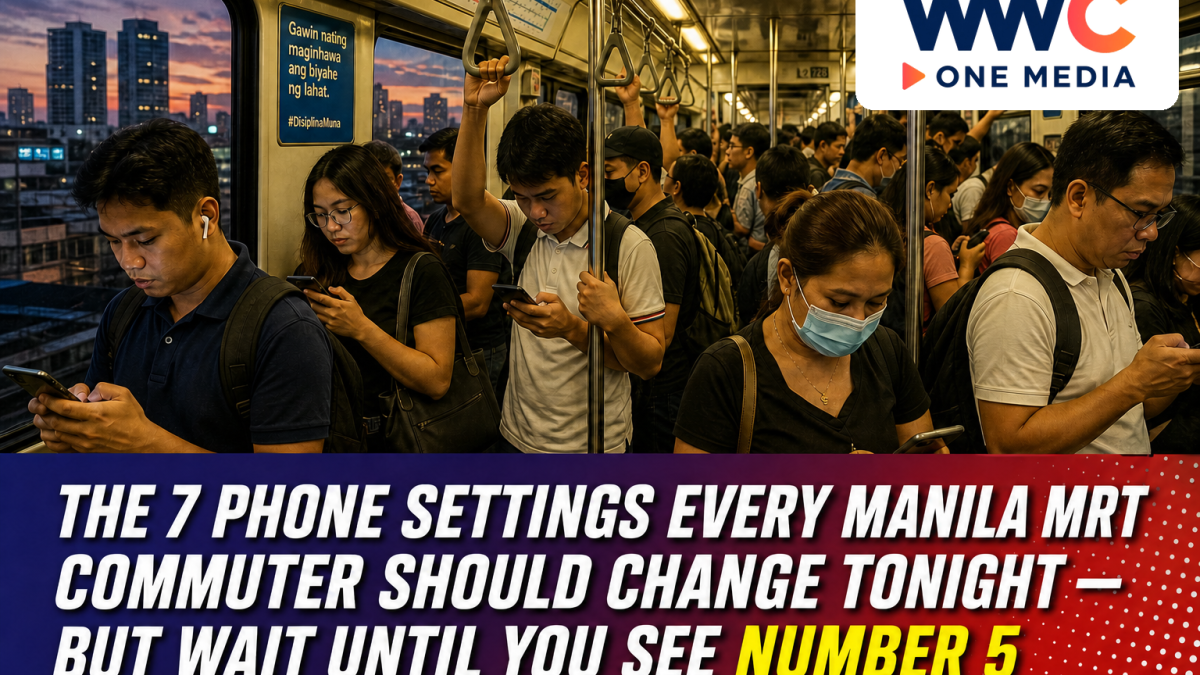
MANILA, Philippines — The woman on our left at North Avenue had already unlocked twice before the train doors even finished opening. Sweaty phone, cracked case, GCash still on the last screen from a jeepney load. The OTP landed as a banner across the glass, six digits, bright as a jeepney sign, while the car packed in from Trinoma.
Nobody snatched it. That is not the point. The point is how many factory settings on a commute phone were designed for a sofa in a condo, not for a packed train that will be at Ayala in twenty-something minutes if the signalling holds.
We rode the last southbound on a Thursday to see which toggles actually matter between North Ave and Taft. Not a lab test. A sweaty one. Seven of them are worth changing tonight. Number 5 looks like the boring one. It is the one people skip, then wonder why a work phone throws a prompt at 8:40 a.m. in a BGC food hall.
Do them in roughly this order. Skip the ones that already match how you live. Do not skip 5.
1. The North Avenue Wi-Fi that joins itself
The network names bloom as soon as you hit the concourse. Free Wi-Fi, mall Wi-Fi, something that looks like the station, something that looks like a coffee kiosk that closed in 2019. Auto-join treats all of them like home.
Your phone is polite. Too polite. It will dump a background backup, a photo sync, a failed GCash session retry onto whichever SSID shouted first. You feel it as a spinning wheel on the platform, then as a Globe or Smart data surprise two days later when the backup retries on mobile anyway.
On iPhone: Settings, Wi-Fi, tap the “i” beside any public name you have ever joined, Auto-Join off. On Android: forget the network, kill auto-connect. Keep mobile data for GCash, Grab, Maya, and the bank. Public Wi-Fi is for a slow news site while you wait out a delay at Shaw. It is not for a peso transfer.
A desk editor in Makati still joins the office network by hand every morning. Four seconds of annoyance. Cheaper than Camera Roll uploading to a kiosk SSID at Cubao.
2. That GCash OTP lighting up at Shaw
Message previews on a packed car are a gift to whoever is standing on your left. Sometimes that person is an auntie holding a pan de sal bag. Sometimes it is a guy whose eyes are doing the commute scan — screens, pockets, the gap between your elbow and the pole.
Hide message content on the lock screen. Both phones will do this in a minute if you stop treating the banner as a convenience. If you use GCash, Maya, or a bank app, turn on the in-app OTP or authenticator where it exists. Stop relying on a six-digit text that lights up over your head every time you buy load.
This is not paranoia. It is the cheapest privacy setting you will change all year. We watched three OTPs bloom between Santolan and Ortigas on one ride. None of them belonged to us. All of them were readable from the next pole.
If your parents still need the SMS, fine. Hide theirs too. The preview is the leak. The text can still arrive in the thread.
3. Why the phone is hot between Cubao and Boni
Shopee, TikTok, Facebook, and most of the “free” games will refresh in your pocket the entire ride. You feel it as heat against the thigh. Then as a data bill. Then as a battery that falls off a cliff somewhere after Boni, right when you need Maps for the walk from Ayala to the office.
On Android, set those apps to Wi-Fi-only background data. On iPhone, switch off Background App Refresh for anything that is not mail, Maps, or the ride-hailing app you are actually opening. Leave Grab alone if you hail from the station. Kill the shopping feeds.
The goal is simple. Your phone works for the commute. It does not work for a live sale you are not buying.
If the phone is too hot to hold at Magallanes, that is not “the weather.” That is an app you have not disciplined. The weather is also bad. Two things can be true. Only one of them has a toggle.
4. Bluetooth in a packed car is a small beacon
You needed it for the earphones at the platform. You do not need it scanning between there and the office lobby. Bluetooth left on in a train car is a small, chatty light. AirPods, trackers, the speaker you paired once in a Grab and never forgot.
Use the Control Center or the Android quick-settings tile. Pair at your desk. Pair on the walk out of Taft if you must. Do not stand under someone’s armpit in a packed car with the radio still hunting.
If you use a tracker tag on a work bag, know which setting makes it visible to strangers and which one keeps it inside your account. The default is often friendlier than you want. Earphones reconnect when you turn the tile back on. They will not dump you. The train might.
5. The charging ledge nobody treats as a risk
This is the one people skip.
The charging strip under a BGC food-hall counter. The USB block taped to a jeepney dashboard with electrical tape that has seen better fiestas. The “free” cube at a mall waiting area in Megamall while you kill twenty minutes. The port on a copier-shop counter you did not ask for.
A cable can talk both ways. Power is not the only thing in that plug.
Carry a small power bank you charged at home. Or use a charge-only cable with no data lines if you insist on a public socket. We tried the food-hall ledge on a Friday because a photographer’s phone was at 4 percent. The phone asked if we trusted the accessory. We did not. We used the bank.
Number 5 is boring. Boring is how you do not hand a work phone a surprise prompt at 8:40 a.m. while a line forms behind you at the coffee counter.
If the cable is theirs, assume it can talk. If the cable is yours and charge-only, you are closer to safe. A power bank you filled the night before remains the commute tool. This is the whole of Number 5, written in street furniture.
6. Maps that still work under Buendia
The stretch through the underground stations is where you burn data on a spinning map and then miss the exit because the pin jumped. Buendia is the classic. Also Ayala, if you are trying to remember which mall entrance dumps you toward the office and which one dumps you toward a perfume corridor.
Download offline maps for Metro Manila on a home Wi-Fi night. Pin the office, the MRT stations you actually use, and the walk from your stop to the building. Not every station. The ones on your week.
Typhoon weeks make this less optional. A saved map also helps when mobile data crawls after a flood advisory, which is not the moment to discover you have no tiles and a dying battery and an auntie asking if this is Cubao.
Google Maps will do the download. The brand matters less than doing it before you are in the tunnel.
7. Permissions, the way you check a palengke list
Open the permission screen and revoke anything that does not need camera, microphone, location, or contacts. A flashlight app does not need your location. A recipe page does not need the microphone. Dating apps can live on “while using,” not “always.”
Do this once a quarter, the way you check a GCash history after a long weekend. Five minutes. No new phone required.
If you share the phone with a child or a parent, do their account as a second pass, not as an afterthought. The flashlight-with-location trick shows up on hand-me-down Androids more than on a new iPhone, and the hand-me-down is the one riding MRT with load money on it.
Sit down on a Sunday. Do not start a show.
Charge the phone. Sit at a table. That last instruction is the hard one.
Work top to bottom: Wi-Fi auto-join, lock-screen previews, background refresh, Bluetooth tile. Then put a charge-only cable or a power bank by the door so Number 5 is physical, not a note you will forget at 7 a.m. Download offline Maps for your actual MRT stops last. It needs Wi-Fi and a few quiet minutes, and it will fail if you do it on the 5 percent battery you always seem to have on Sundays.
If a setting feels confusing, skip the forum. Use the phone’s own search box in Settings. You are not installing a new launcher. You are removing defaults that were designed for a sofa, not for a packed train at Taft when the aircon is losing the argument.
Fourteen minutes if you already know the menus. Twenty if you also do a parent’s phone. Shorter than one delay announcement at Santolan. None of this needs a new gadget.
Number 5 still feels too small to matter. That is why it is the one to do first. Put the power bank by the keys. Then do the toggles.
Tomorrow’s North Avenue tap-in will not feel different. The phone will. Cooler pocket. Darker lock screen. A map that still has streets when the tunnel eats the signal.
And if the woman on your left still has GCash open on the banner, that is her commute. You have yours.