
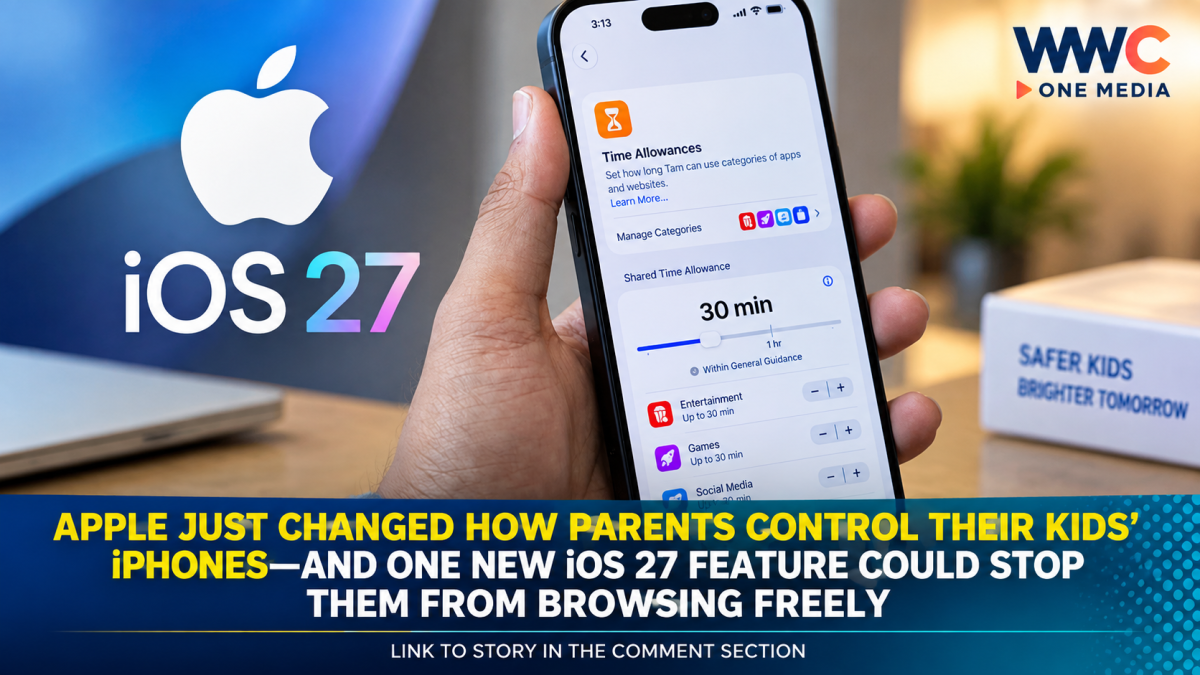
Apple has rolled out iOS 27, and one of the biggest changes may not be the new Siri or redesigned interface—it’s the sweeping overhaul of parental controls and child-safety features.
The update gives parents more control over the apps their children can use, the websites they can access, how long they can spend on certain categories of apps and even who they can communicate with.
Apple first previewed the changes at WWDC 2026, but with iOS 27 now officially released, the new safeguards are becoming available to families using compatible devices.
The biggest change: kids can be asked to get permission before visiting new websites
One of Apple’s most notable additions is Ask to Browse.
When enabled, children can be required to request permission before accessing a new website through Safari. Parents can review the request and decide whether to approve it.
The feature extends Apple’s existing Ask to Buy system, which allows parents to approve app downloads and in-app purchases.
That could make a major difference for parents who previously had to block websites individually—a potentially endless task as children discover new sites.
Parents can decide which apps children can use
Apple has also redesigned the process of setting up a child’s device.
During setup, parents can choose exactly which apps are available. They can start with a small collection of essential apps, use a recommended selection or choose specific apps themselves.
Additional apps can then be introduced over time, giving parents greater control over how a child’s digital environment develops.
Screen Time gets a major makeover
Apple is also redesigning Screen Time, giving parents a clearer view of how their children are using their devices.
The new system includes Time Allowances, allowing parents to establish daily limits for categories such as:
- Entertainment
- Games
- Social Media
Apple says the suggested allowances are informed by expert research and tailored according to a child’s age. Parents can still modify those recommendations based on what they believe is appropriate for their family.
Parents can also use Schedules to determine when particular apps are available, such as restricting certain categories during school hours or bedtime.
Apple is expanding Communication Safety
Another major change involves Apple’s Communication Safety system.
The existing feature can warn children about potentially nude images and videos. In iOS 27, Apple has expanded the protection to intervene when shared images or videos contain gore or violent content.
Apple says the feature is designed to help children avoid potentially harmful content before they view it.
Parents can have more say over who their children communicate with
Apple is also giving parents additional controls over contacts.
The new system can allow parents to require approval before a child connects with a new contact, extending parental oversight beyond app downloads and screen time to digital communication itself. The controls can work across services such as Messages, FaceTime and Phone.
The changes go beyond Apple’s own apps
Apple is also giving developers new tools to create more age-appropriate experiences.
Its Declared Age Range API allows compatible apps to receive a child’s age range without receiving the child’s actual birth date. Apple says parents can control whether that information is shared.
Developers can also use PermissionKit to allow parents to approve certain interactions, such as a child requesting to chat with or follow another user.
That means Apple’s child-safety push isn’t limited to what happens inside iOS settings—it is also designed to influence how third-party apps handle young users.
But Apple’s new controls aren’t without questions
The overhaul has been welcomed as a step toward stronger parental controls, but not everyone believes the changes go far enough.
The Verge previously criticized Apple’s Screen Time system as difficult for parents to manage, arguing that many of the announced improvements were refinements of existing tools rather than a complete solution to the problems families face.
That criticism highlights an important reality: parental controls are only as effective as their implementation and the willingness of families to use them consistently.
Apple’s redesigned interface could make those controls easier to find and manage, but parents will still need to decide what restrictions make sense for their children.
What parents should know now
With iOS 27 officially released, families with compatible Apple devices can begin exploring the updated child-safety settings.
Apple recommends using a Child Account to establish age-appropriate protections across the system. Apple says a child account is required for children under 13, although minimum account-creation ages can vary by country or region, and the system supports children up to 18.
The result is a much more structured approach to children’s device use: parents can control what children see, which apps they use, which websites they access, how long they use certain types of apps and, in some cases, who they can communicate with.
For families handing an iPhone to a child or teenager, iOS 27 could therefore represent one of Apple’s most significant parental-control updates in years.
And the biggest question may now be whether these new safeguards are finally strong enough to keep up with how quickly children discover new apps, websites and online communities.